A New Way to Practice Piano: From Static Sheets to Interactive Playground
Ask any pianist about their practice routine, and they will likely describe a setup that hasn’t changed in over a century: a paper music book propped open on a music stand, a pencil tucked behind the ear, a metronome ticking on the side, and hours spent looking back and forth between the printed staff lines and their hands on the keys.
While this traditional method has produced generations of master musicians, it is also accompanied by a high level of friction. For beginners and self-taught players, translating abstract visual notation into physical hand movements is a slow, frustrating process. More importantly, practicing in isolation means you often play incorrect notes or rhythms for days before a teacher or listener corrects you, reinforcing bad habits into your muscle memory.
When we built ScoreFlip, we wanted to break down these barriers. We designed a system that turns sheet music practice from a dry, manual translation task into an interactive, real-time playground. By combining intelligent OMR scanning, advanced audio-to-score transcription, MIDI-connected feedback, and a built-in virtual vintage instrument console, ScoreFlip introduces a new, modern way to practice piano.
---
The Core Problem: The Cognitive Gap in Practice
Traditional sheet music is a passive medium. When you study a new piece, your brain has to perform several cognitive tasks simultaneously: 1. Translate the note on the staff (e.g., a G# in the treble clef) to a specific pitch. 2. Find the key on the keyboard that matches that pitch. 3. Execute the rhythm relative to the tempo. 4. Coordinate both hands while maintaining a steady pulse.
This constant visual shifting—looking up at the page, looking down at your hands, and looking back up—interrupts your focus. It leads to hesitations, restarts, and frustration. Furthermore, because paper sheets cannot listen to you, you lack immediate validation.
ScoreFlip bridges this gap by creating an active, synchronized feedback loop.
---
1. Zero Translation: The Falling Note Visualizer
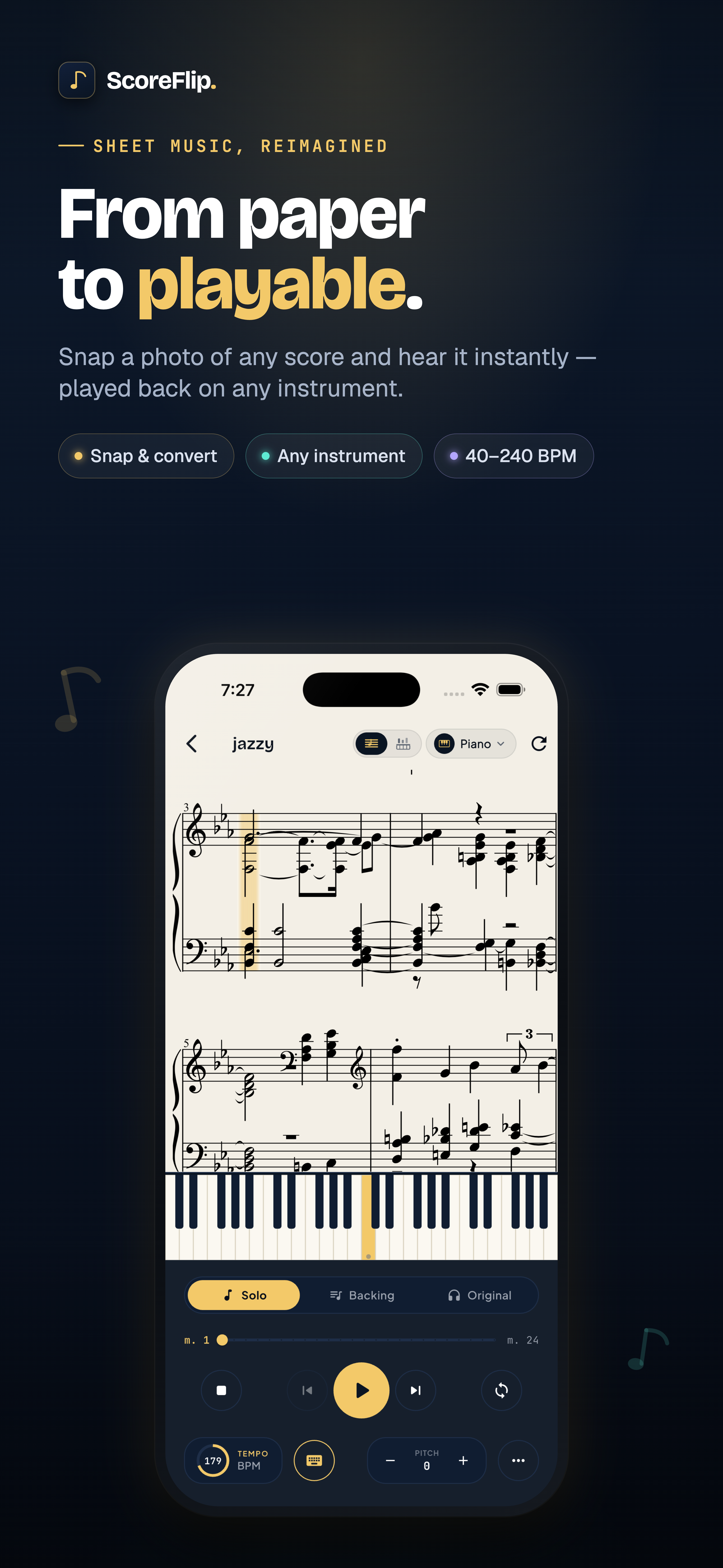
To ease the cognitive load of reading music, ScoreFlip features a split-screen Piano Roll Mode. The standard sheet music rests at the top of your screen, while a virtual 88-key piano keyboard sits at the bottom.
As the playback cursor advances across the treble and bass clef staves, the corresponding notes descend as colored bars directly onto the virtual keys below, similar to a waterfall visualizer.
 The falling note keybed in Piano Roll Mode.
This visual alignment changes how you interact with the notation: Instant Mapping: You see exactly which physical keys correspond to the sheet music notes without having to count lines and spaces. Visual Association: Rather than bypassing notation, the falling notes help your brain associate the symbol on the staff with the physical key position, improving your sight-reading speed over time. * Dual-Staff Color Coding: Notes are color-coded by hand and pitch, giving you clear visual markers of the harmonic structure.
---
2. Eliminate Timing Anxiety: MIDI Connectivity & "Wait Mode"
Immediate, precise feedback is essential for effective practice. If you play a wrong note, you need to know immediately, before your fingers memorize the error.
By connecting your digital piano or keyboard to your device (via a standard USB-MIDI cable or Bluetooth MIDI), ScoreFlip becomes an active listener:
 Connecting your digital piano for real-time input recognition.
This MIDI integration enables Wait Mode, one of ScoreFlip's most powerful practice features: No Pressure, No Rush: In Wait Mode, the playback cursor and falling notes pause and wait for you. The song will not advance until you play the correct note on your physical keyboard. Instant Corrective Cues: Keys pressed correctly light up in vibrant green, while incorrect notes flash in red. You instantly know when you make a mistake, allowing you to adjust your hand position immediately. * Tempo Control: When you are ready to play in time, you can scale the playback tempo down to 50% or 75%, allowing you to practice complex runs at a manageable pace before building up to full speed.
---
3. A Sound Module on Your Device: The Vintage Instrument Panel
Many pianists practice on keyboards with basic, uninspiring built-in sounds. To make rehearsals more engaging, ScoreFlip includes a dedicated Piano Mode console—a fully-featured, vintage-styled sound module.
When you connect your MIDI keyboard, you can bypass your keyboard’s stock sounds and play through ScoreFlip’s high-fidelity synth engine, featuring a curated bank of classic voices:
- GRAND: A rich, multi-sampled acoustic concert grand piano.
- RHODES & WURLI: Classic electric stage pianos with warm, vintage characteristics.
- HAMMOND B3: A drawbar organ with authentic rotary speaker simulation.
- POLY & STRINGS: Analog synthesizer pads and legatized string sections to fill out your arrangements.
 The vintage control console in Piano Mode.
The Piano Mode console features physical-style knobs to customize your sound in real-time, including Volume, Tone, Drive, Tremolo, Chorus, and Reverb. It also provides interactive Pitch Bend and Modulation wheels alongside full sustain pedal support. This turns a simple MIDI controller into a professional stage keyboard, making your practice sessions sound like a studio recording.
---
4. Smart Rehearsal Tools: Isolating Hands & Target Loops
Professional practice is about isolating problems, not just playing a song from start to finish. ScoreFlip provides built-in tools to help you deconstruct complex pieces:
- Hands Separation: You can toggle the playback panel to mute the left-hand or right-hand staff. This allows you to practice the left-hand bassline or right-hand melody in isolation while the digital tutor plays the opposing part for you.
- Target Loops: Instead of running the whole song, you can highlight a difficult 2-bar or 4-bar passage and set it to loop continuously. Combined with Wait Mode and gradual tempo scaling, you can master difficult sections incrementally.
- Multi-Source Import: You aren't limited to a pre-defined library. You can scan printed sheet music with your camera (OMR), upload a PDF, or import audio streams from YouTube and Spotify. ScoreFlip's backend uses intelligent Demucs stem-splitting to isolate the piano track and transcribe it into a playable digital score in seconds.
---
5. Gamification: Turning Practice Into a Daily Routine
Consistency is the ultimate key to mastering the piano. Borrowing proven habit-building techniques from modern language apps, ScoreFlip’s dashboard gamifies your daily practice routine:
- Daily Streaks: The app tracks your consecutive practice days. Playing for just five minutes keeps your streak alive, encouraging daily contact with the keys.
- Accuracy Scoring: After each practice run, the app evaluates your performance, displaying your Pitch Accuracy (%) and Timing Precision (%).
- Problem Area Pinpointing: ScoreFlip highlights the specific measures where you hesitated or made mistakes, automatically recommending them for target loop practice.
---
A Modern Approach to Piano Mastery
By transforming static sheets into an interactive sandbox, ScoreFlip changes how you practice. You no longer have to struggle with reading complex notation in isolation or guessing if you are playing correctly.
With real-time MIDI feedback, visual guides, isolated hand practice, and a premium vintage sound engine, you can sit down, connect, and learn your favorite songs in a fraction of the time. It is a faster, more engaging, and highly effective way to master the piano.
Enjoyed this deep dive?
Explore more articles on notation scanning, electric keyboards, and gamified music practice in our journal.
Explore All Articles